
Your account is what students see next to your books and what we use to pay you. Most of it you can change yourself.
Logging in
You set your password when you complete your profile after we activate your account. From then on you log in with your email address and that password.
If you forget it, use the password reset on the login page. You receive an email with a link to set a new one. If the email does not arrive, check your spam folder before writing to us.
Your details
Your title, first name, last name and profile picture (PNG or JPG, up to 5 MB) can be changed at any time in your settings.
Your name appears next to your books, in the marketplace and in the forums of your classes, so keep it in the form you want to be known by.
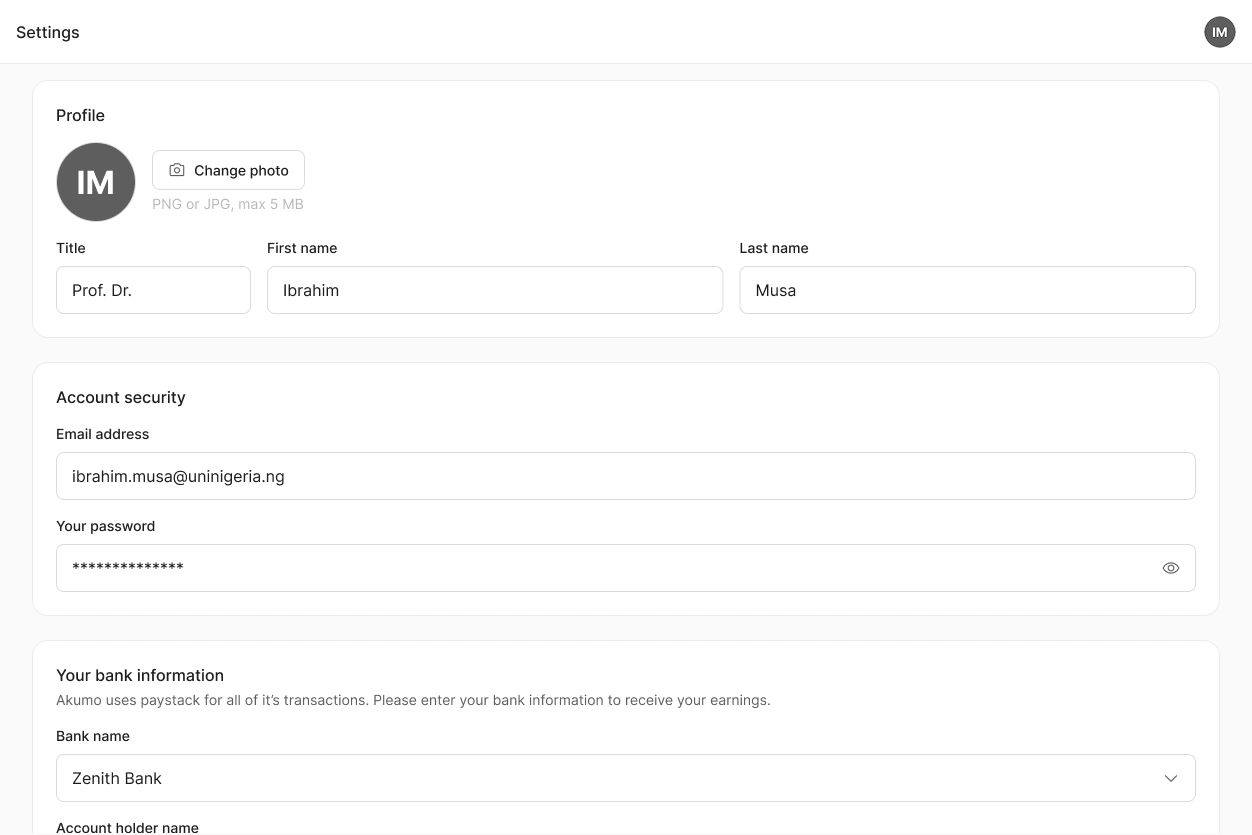
Email address and bank details
Both can be changed in your settings as well. Your email address is what you log in with and where we write to you, so make sure the new one works before you change it.
Your bank details are what Paystack uses to send you your share of every sale. If they are wrong, payments cannot reach you, so update them before your next class starts.
What you cannot change yourself
Your institution connection, and anything to do with a published book. For those, write to us.
 Your account is personal. There is one author per account, and it cannot be shared or transferred.
