
Teaching with a marketplace book
You do not have to write a book to teach on Akumo. If another author has published what your course needs, you assign their book to your class and set your own price for it.
Finding a book
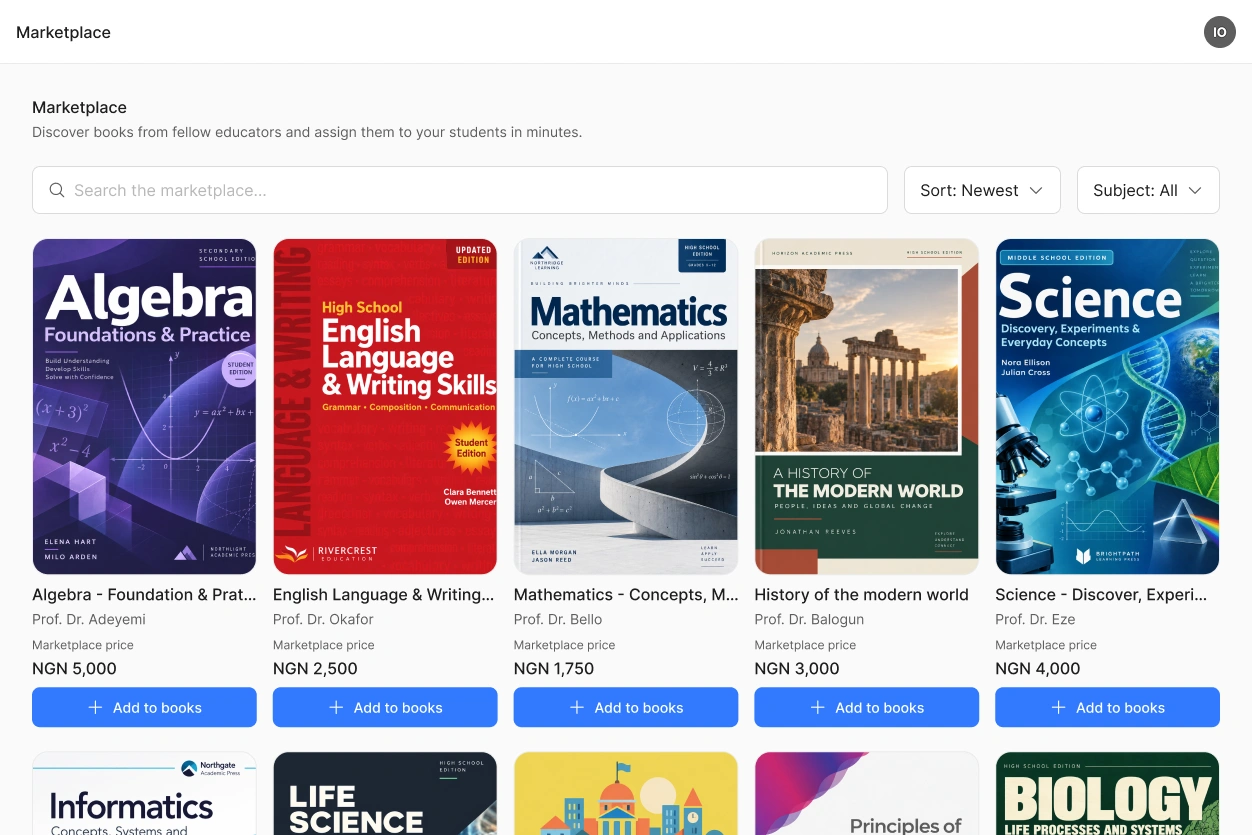
Open the marketplace and search by title or subject. Each entry shows the cover, the authors, the publisher, the description and the marketplace price.
Only lecturers see the marketplace. Your students never see it, and they never learn what the author charges. You cannot read a book before assigning it. If you need more information, open the book in the marketplace and use Contact the author.
Assigning it to your class
Add the book to your class like any of your own. You then set your class price, which has to be at least NGN 1,000 above the marketplace price.
Your students see one price, yours. They do not see that the book came from the marketplace or what the author receives.
Students who already own the book from another class do not buy it again.
What you earn
For every sale you keep the difference between your class price and the marketplace price, minus the Akumo share and your institution's share if you have one. The author receives their marketplace price.
You can use the same book in several classes and charge a different price in each of them.
Questions from your students
The forum belongs to your class, so your students ask their questions there and you answer them, even though the book is not yours. The author does not see those questions.
If you cannot answer something about the content, write to us and we will pass it on to the author. If you cannot answer something about the content, open the book in the marketplace and use Contact the author.
 Nothing prevents you from teaching with marketplace books in one class and your own book in another.
