
Publishing your first book
Adding a book takes two steps: first the details your students see, then the file itself and your prices. You can prepare everything in advance. A book only becomes visible once you assign it to a class and invite your students.
Before you start
Have these ready:
- Your manuscript as a PDF, DOC or DOCX file, up to 5 GB
- A cover image as PNG, JPEG, JPG or WEBP, up to 10 MB
- The subject, language, release date and number of pages
- A short description of what the book covers and who it is for
- The names and titles of your co-authors, if the book has any
- The name of the publisher, if the book has one
Step 1: Book details
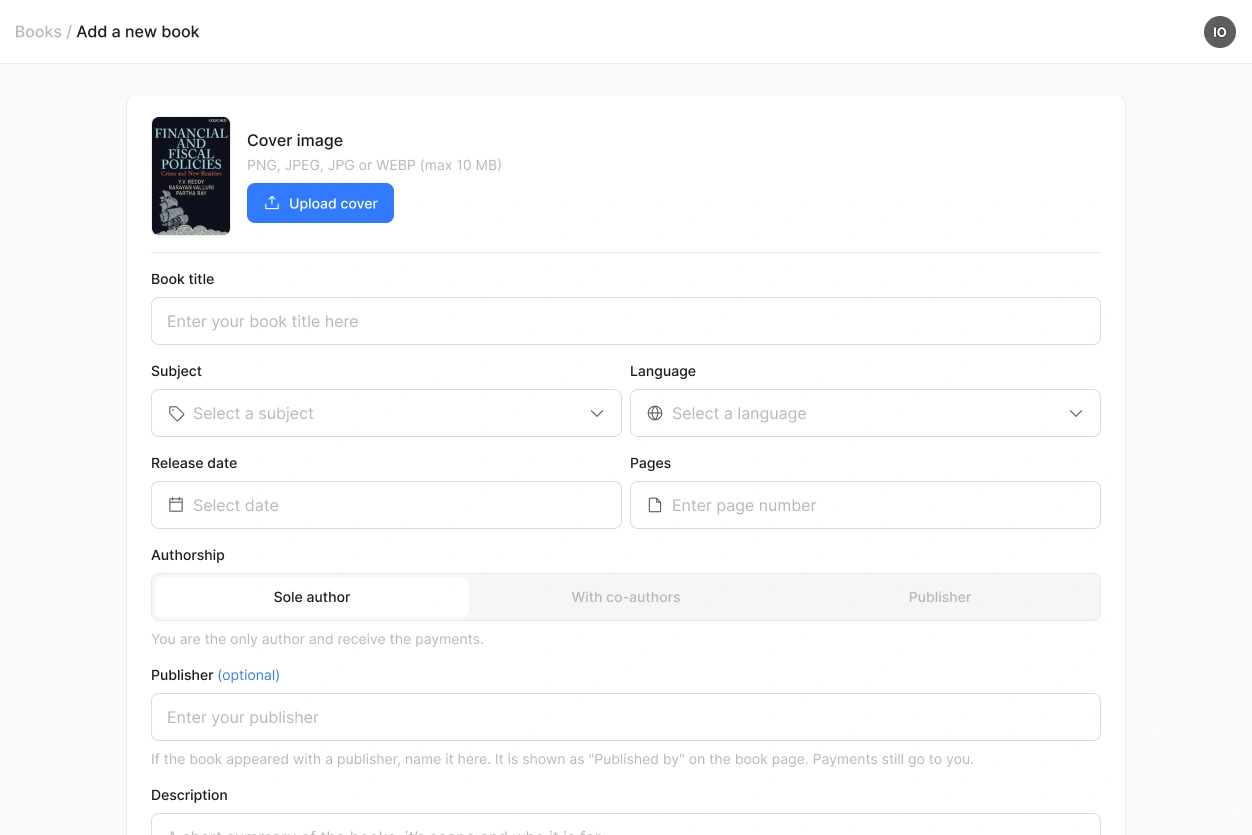
This is what students see before they buy. Add your cover, the title, the subject and the language, then the release date and the number of pages.
Under Authorship you say how the book was written. Sole author means you wrote it alone. With co-authors means you are the main author and add the others with their title and name. Publisher means you publish the work of others and name the authors the same way. Co-authors and authors named this way do not need an Akumo account.
You can also enter a publisher. That field is optional for a sole author and for a co-authored book, and required if you selected Publisher.
Whatever you choose, the full payment for every sale goes to the account that uploaded the book. Akumo does not split earnings between co-authors or with a publisher, you arrange that among yourselves.
The description is worth a moment. Students in a class already know they need the book, but lecturers browsing the marketplace do not. Two or three sentences on the scope and the level are usually enough.
Step 2: File and pricing
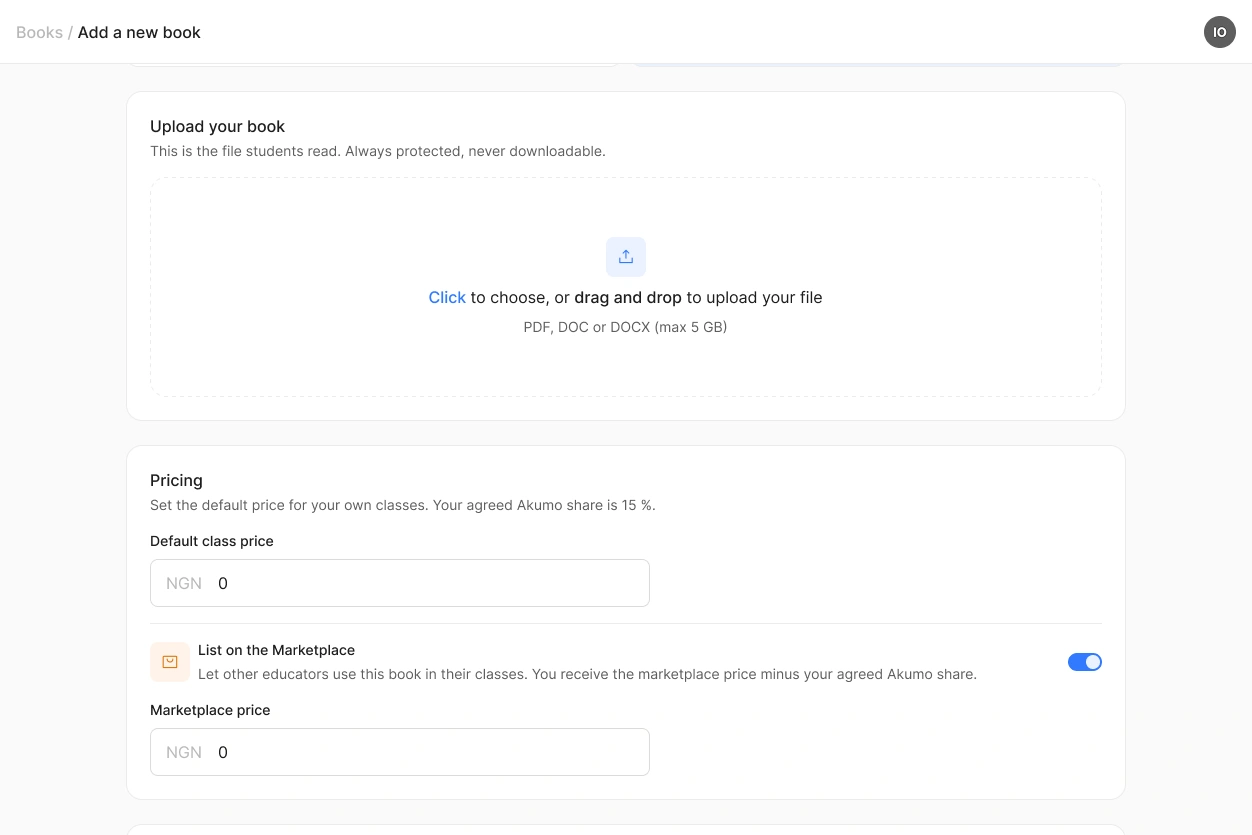
Upload the file your students will read. This is the version that goes live, so check it before you upload. You can change the file later, but only by contacting us.
Then set your class price. This is what your own students pay when they buy the book inside one of your classes.
If you want other lecturers to be able to teach with your book, switch on List on the Marketplace and set your marketplace price. That is what you earn every time another lecturer sells your book in their class. They set their own class price on top of it. You can only switch this on while you upload the book.
Before you publish
Before a book goes live you confirm that you are authorised by all co-authors and rights holders to publish the work and to receive payment on their behalf. Akumo does not check those agreements, so make sure they are in place before you publish.
After publishing
Your book appears in your book list and can be assigned to any of your classes right away. If you listed it on the marketplace, other lecturers can find it there from that moment on.
Your marketplace price is fixed once the book is published, and we can change it for you at any time. The class price is yours: you set a separate one for every class you assign the book to.
 Nothing is visible to students until you assign the book to a class and invite them. You can add all your books before the semester starts.
