
A class is where your students and your books come together. You create it, assign the books your students need, set what they pay and then invite them. Nothing is visible to students until you do.
Class details
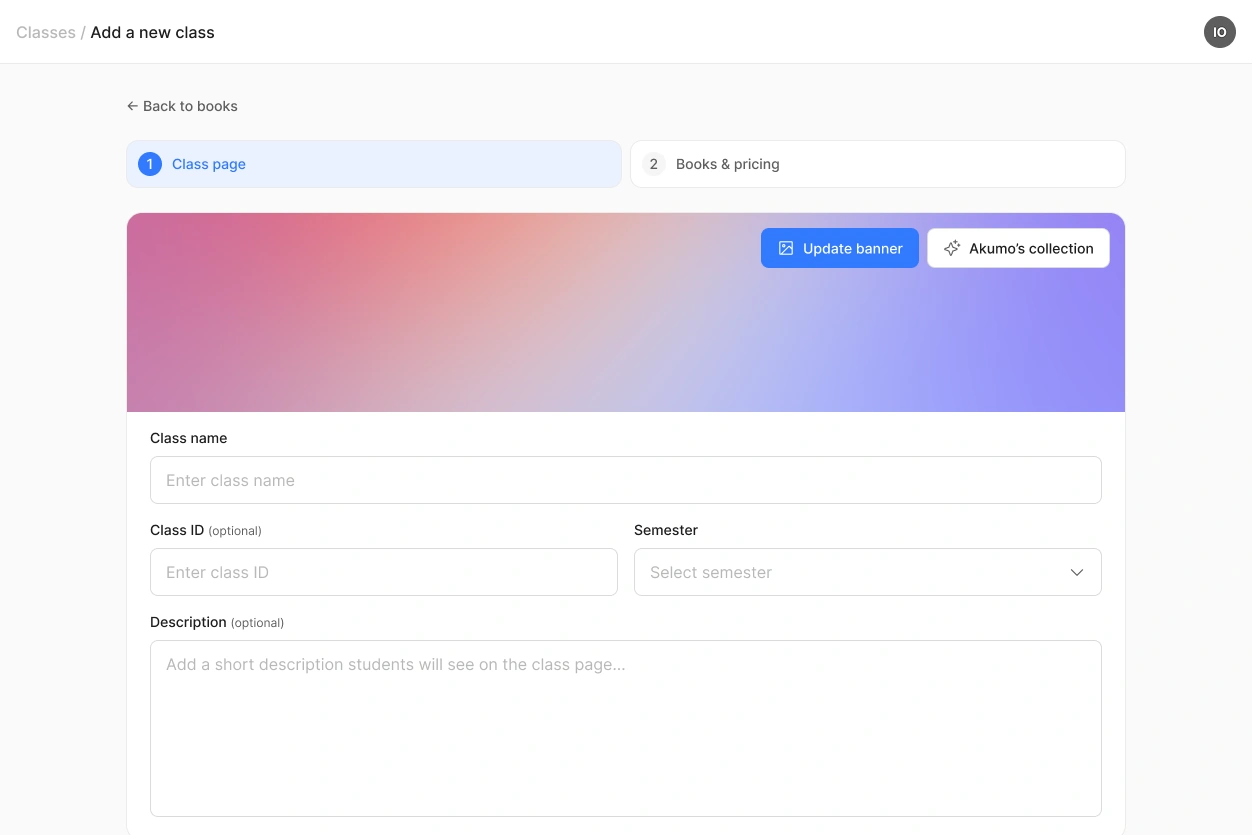
Only the name and the semester are required:
- Class name. What your students will recognise, for example Basics of Physics
- Class ID. Your own course number, if your university uses one. Optional
- Semester. For example 2026/27 First Semester
- Description. A few lines on what the course covers. Optional
- Banner image. Upload your own or pick one from Akumo's collection
Assigning books
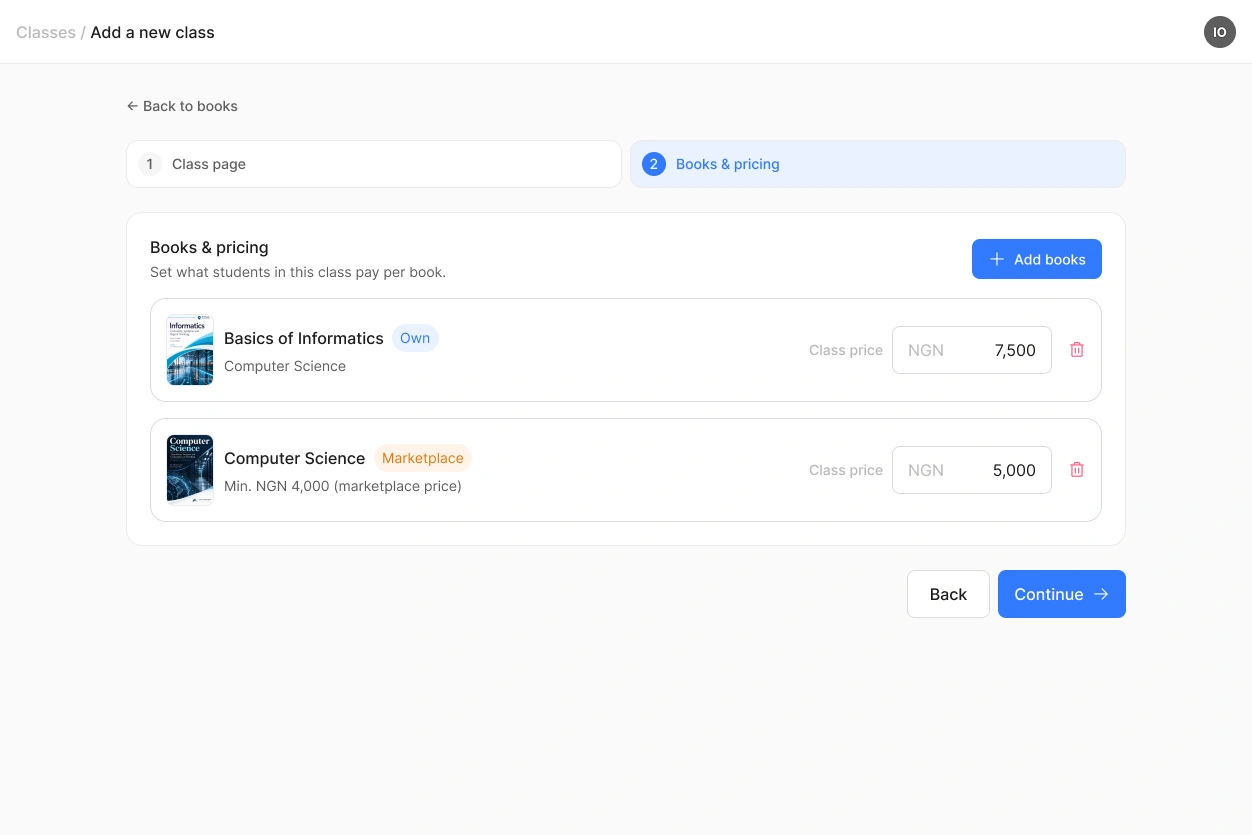
Add the books your students need for this class. You can use your own books, books from the marketplace, or both in the same class.
For each book you set the class price, which is what your students pay for it here. Your default class price is filled in automatically, and you can change it for this class.
If the book comes from the marketplace, your class price has to be at least NGN 1,000 above the marketplace price. The difference is what you earn on every sale.
Students who already own a book from another class keep it and do not pay again, so you only earn from students buying it for the first time.
Adding documents
Besides books, you can add documents to a class: slides, exercise sheets, past exams, anything your students should have.
Documents are always free. Every student in the class can download them, whether or not they bought a book. Word, Excel, PowerPoint, PDF and images (PNG, JPG, JPEG, WEBP) are supported, up to 5 MB each, and there is no limit on how many you add.
Unlike books, documents are meant to be downloaded. They are not opened in Akumo and they are not protected, so use them for material you are happy to hand out.
Once the class is ready
Invite your students with the QR code, the link or a roster upload. From that moment they can join, buy their books and start reading.
You can keep working on the class afterwards. Books, prices and class details can all be changed while the class is running.
 A class stays in place after the semester ends. Your students keep access to the books they bought and can come back to them at any time.
