
Getting students into your class
Students never find your class on their own. They can only join if you invite them, and you can do that in three ways.
The three ways to invite
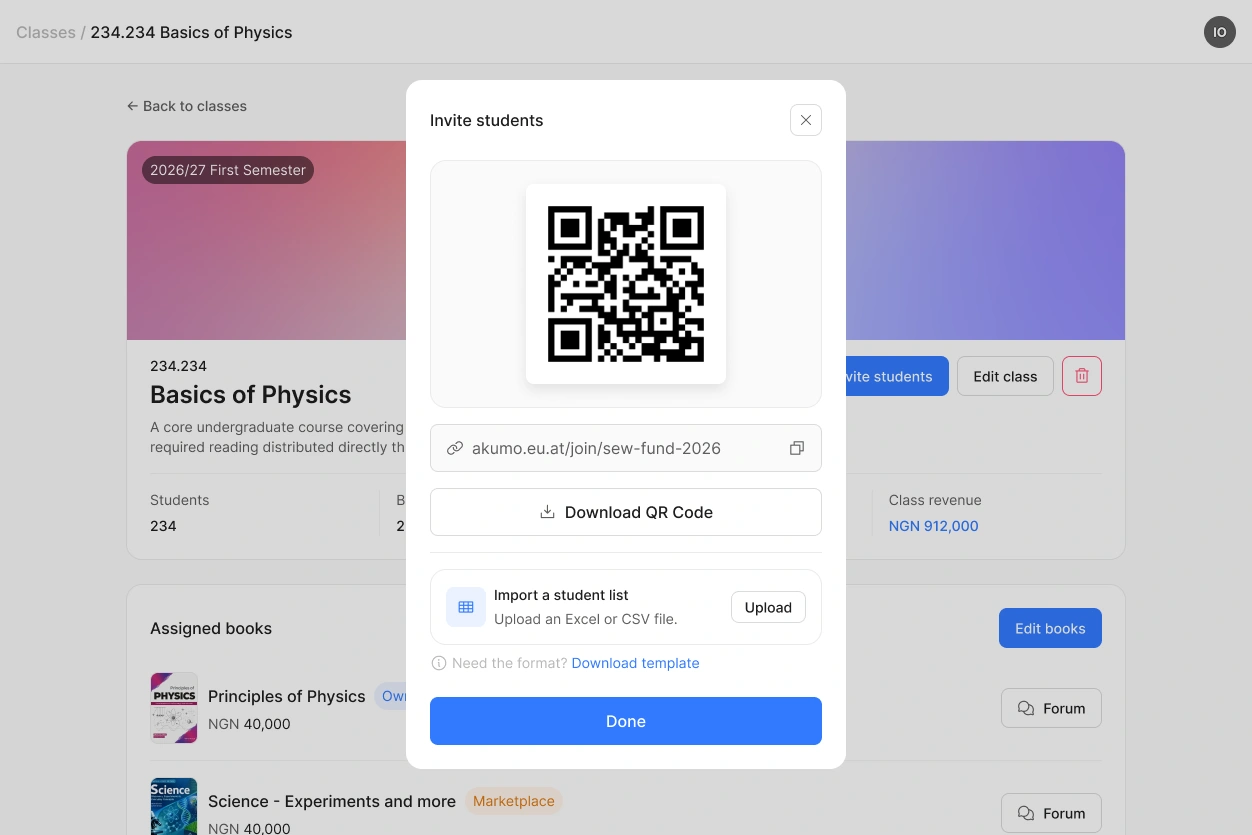
Show the QR code. Put it on a slide in your first lecture and let students scan it with their phone. This is the fastest way to get a full room into a class at once.
Share the link. Send it by email or post it in your learning management system. It works the same way as the QR code.
Upload a roster. If you already have your student list, upload it as an Excel or CSV file. Each student then receives an email with their invitation. You can download a template for the format.
What happens on the student's side
Students who are new to Akumo create their account as they join. They enter their name, their email address and a password, and they are in.
Students who already have an account simply join the class. They never sign up on their own, and they only ever see the classes they were invited to.
Seeing who has bought what
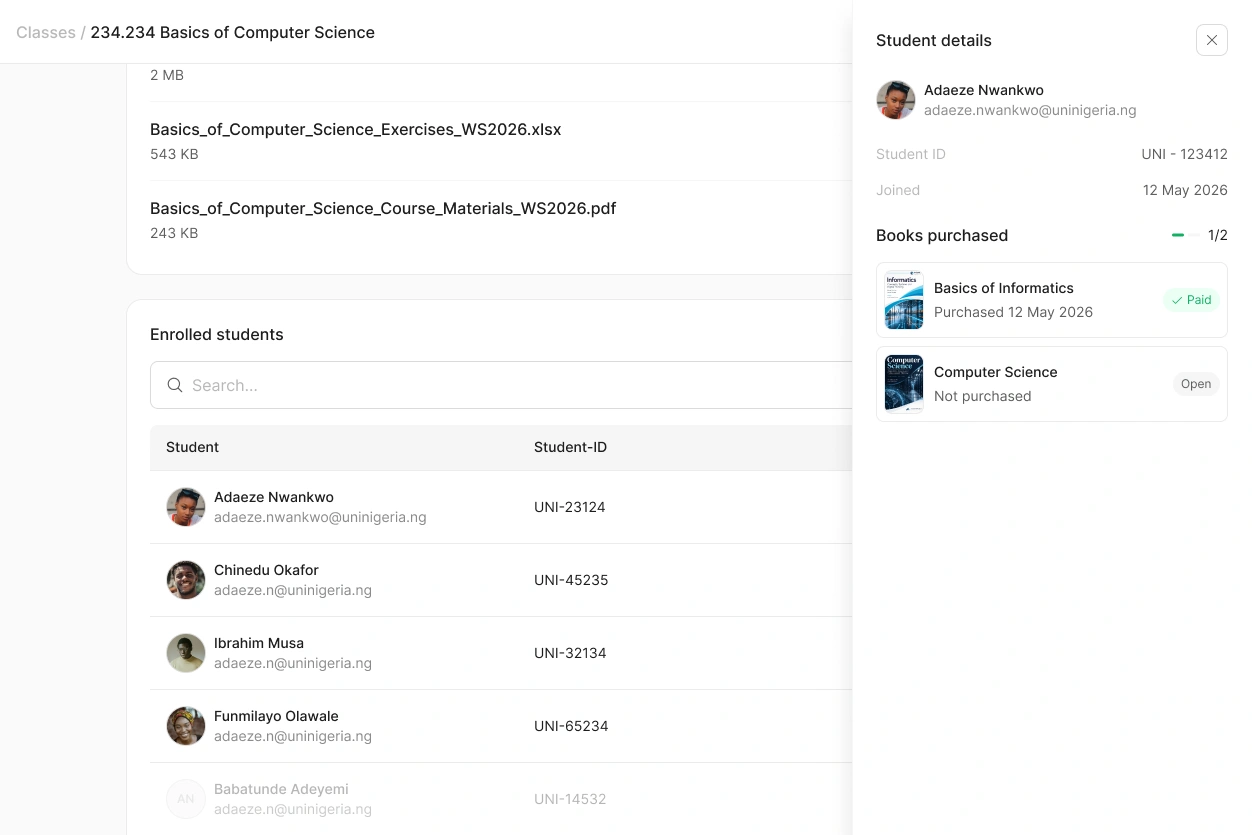
Your class page lists everyone who has joined. Open a student to see their details and which of your books they have bought. That list is worth a look after the first week of the semester.
It also shows you where a class stands: if twenty students have joined and only twelve have bought the book, you know who to remind.
 The QR code and the link do not expire. A student who joins late can still use them.
