
A class is never finished. You can change its books, prices, documents and details at any time, during the semester and after it.
Books and prices
Add a book to the class whenever you need it, and remove one that is no longer required. Removing a book only affects students who have not bought it yet. Anyone who already paid for it keeps their access.
You can also change the class price of any book at any time. A new price applies to future purchases only, so students who bought the book earlier are not affected, whether they paid more or less.
Documents
Documents can be added and removed at any time. They are free for everyone in the class and are meant to be downloaded, so a student who already downloaded a file keeps it even after you remove it.
Class details
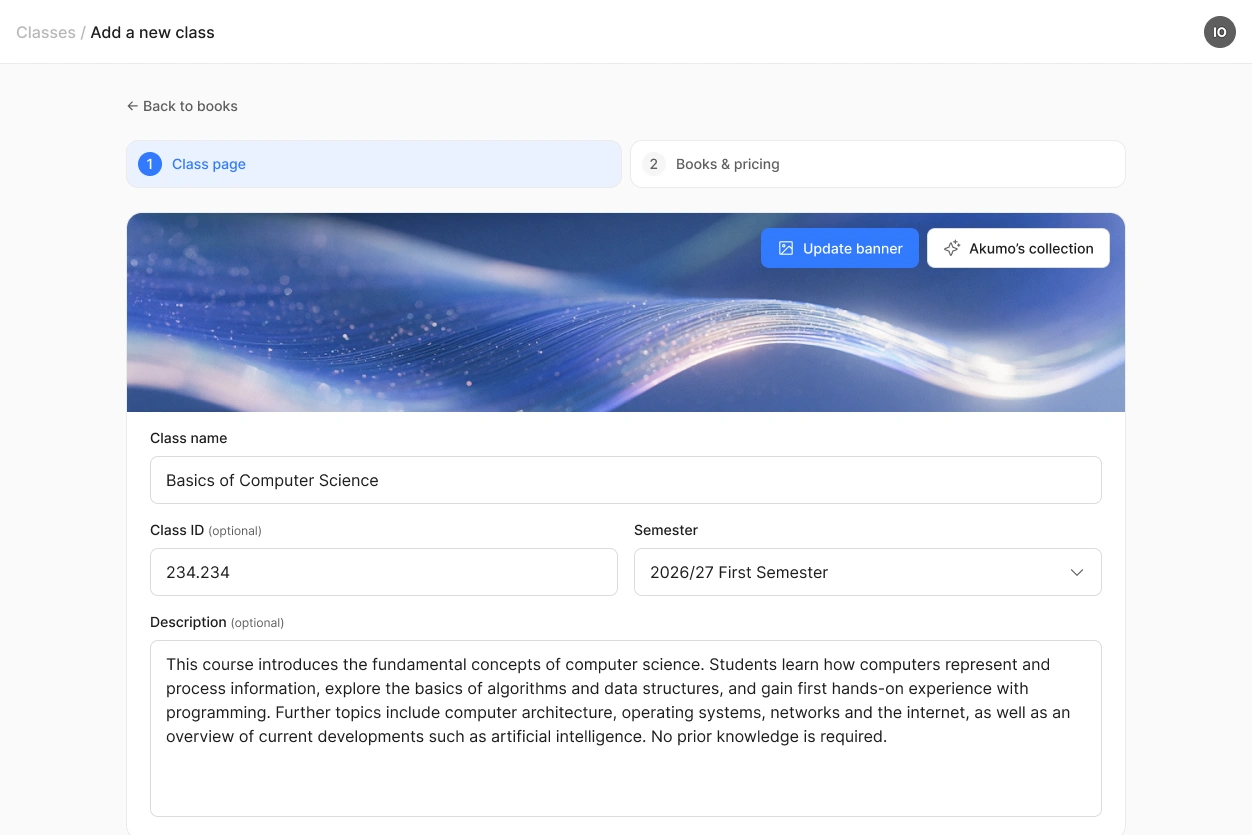
The class name, class ID, semester, description and banner image can all be edited while the class is running.
Changing the class ID does not affect your QR code or your invitation link. Both keep working, and students who have already joined stay in the class.
Students cannot be removed from a class by you. If you need someone taken out, write to us and we will do it. Nothing is charged to a student unless they buy a book, so someone who joined by mistake can simply ignore the class.
The forum
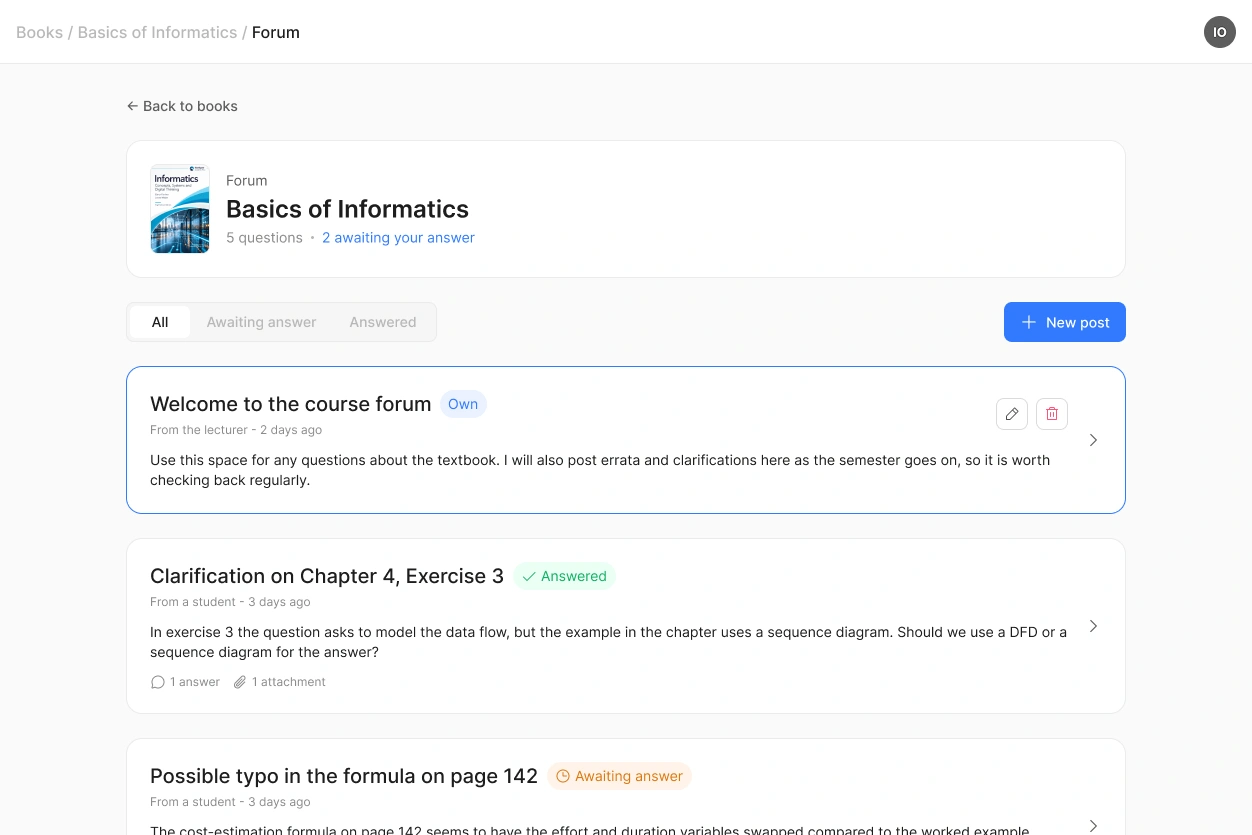
Every book in a class has its own forum, and it belongs to that class. If you teach the same book in three classes, each class has a separate forum.
You post announcements about the book and answer the questions of your students there. Students can only ask questions, and their questions appear anonymously, so nobody has to worry about asking something obvious in front of the whole course.
This also applies to books from the marketplace: the forum belongs to your class, and you answer your students' questions yourself. Students can attach a file to their question: Word, Excel, PowerPoint, PDF or an image (PNG, JPG, JPEG, WEBP).
After the semester
Nothing happens automatically at the end of a semester. The class stays where it is, and your students keep access to the books they bought and can come back to them at any time.
If you teach the same course again, create a new class for the new semester and assign the same books to it.
 Everything about the class is yours to change. Only the book itself, including its file and marketplace price, goes through us.
