
Tracking your sales
Your earnings page shows every sale you have made, what it consisted of and what is left for you after the Akumo share.
The totals
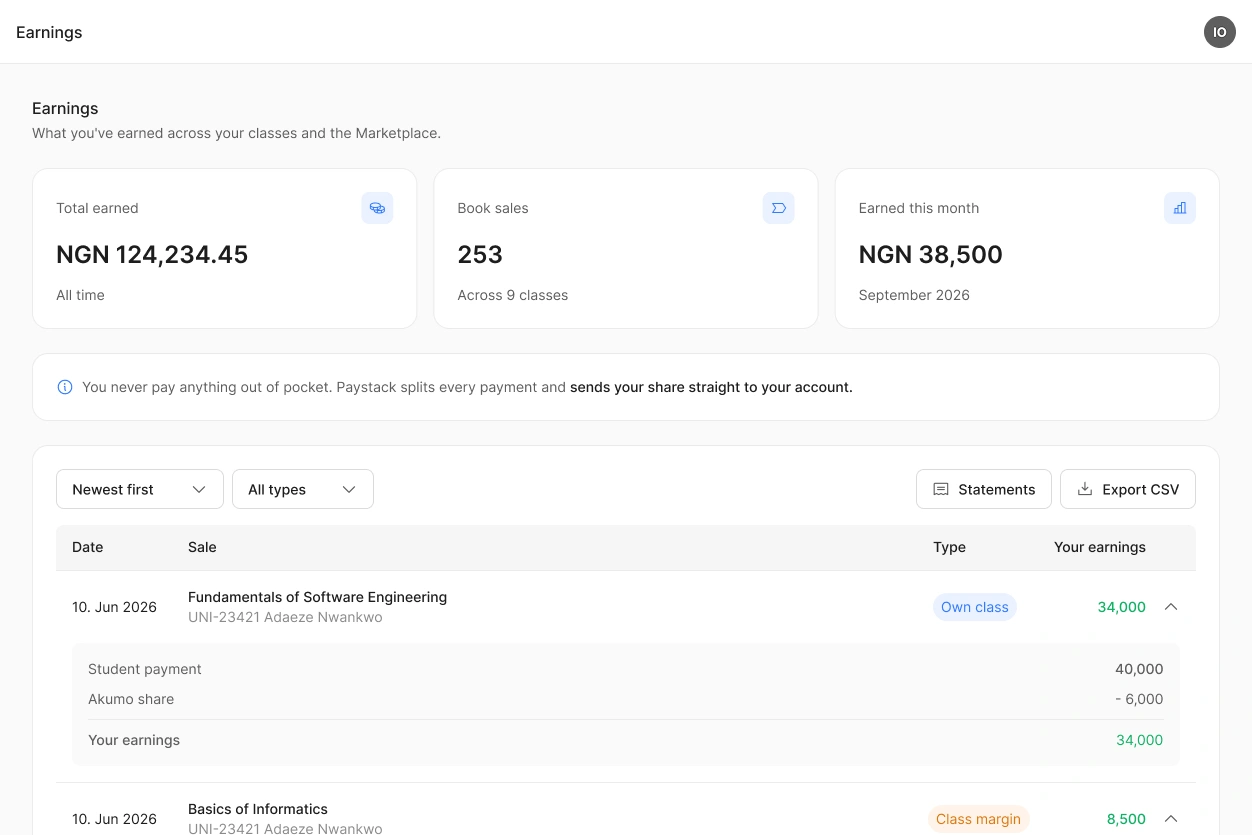
Three figures at the top give you the overview: your total earnings, the number of books sold and what you earned this month.
They cover everything, all your classes and all three types of sale.
Individual sales
Below the totals, every sale is listed with its date, the book, the type of sale and what you earned.
Open a sale to see how the figure came about: the amount the sale is based on, the Akumo share, your institution's share if you have one, and what is left for you. For a sale in someone else's class, that amount is your marketplace price, not what the student paid there.
You can sort the list, filter it by type of sale, and export everything as a CSV file.
Only completed sales appear here. There are no pending amounts, because your share is paid out as soon as a student buys.
Monthly statements
At the beginning of each month you can download a statement for the month before. You find it under Statements on your earnings page. It lists your sales and what you earned, and it is the document to use for your own records or for your accountant.
 The figures on this page are your own. The author of a marketplace book sees their sales on their page, never yours.
