
How Akumo works for authors
Akumo is a closed platform. Authors, lecturers and publishers apply for access, we verify who they are, and we agree your terms with you personally before we activate your account. Students never sign up on their own. They join a class through their lecturer and only see the books assigned to that class.
Your book stays protected the whole way. Students read it in their browser, and it cannot be downloaded or copied.
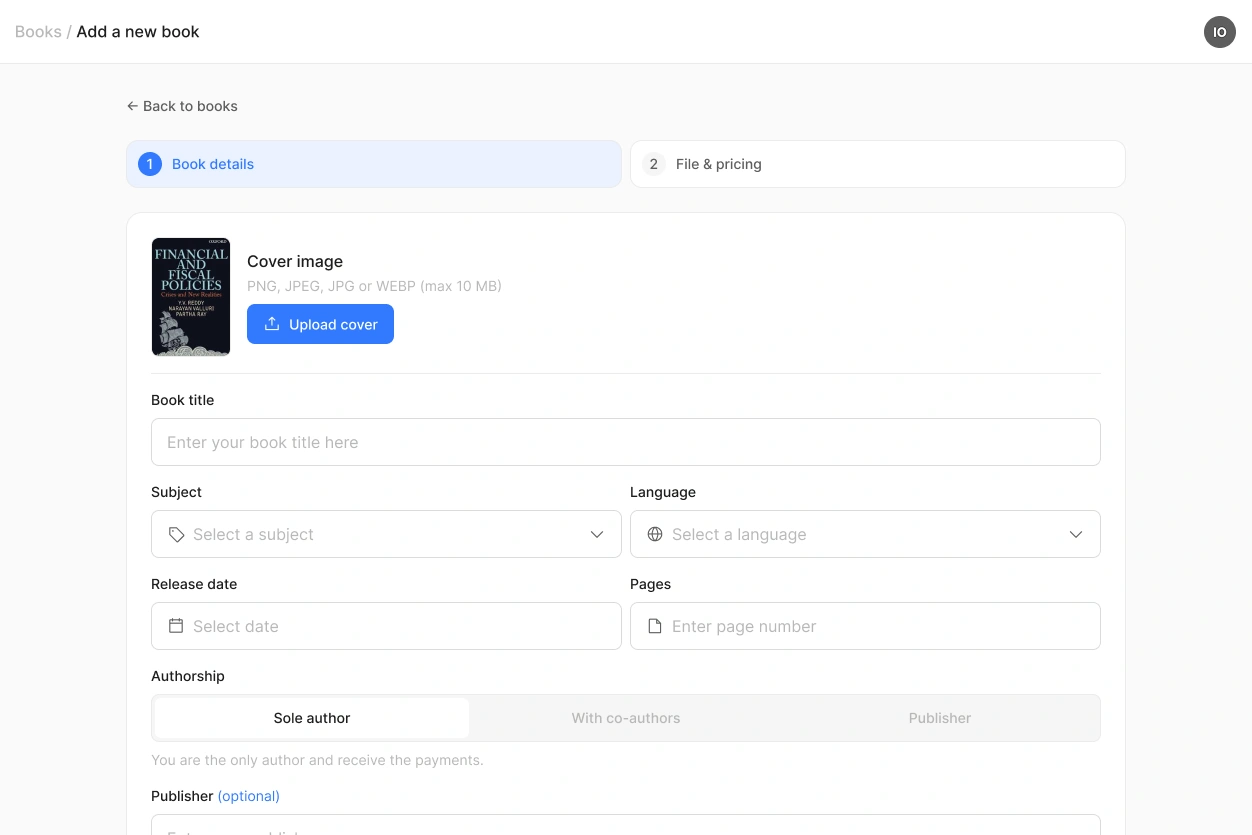
Step 1: Add a book
Add the title, subject and cover, then upload your PDF or Word file and set your prices.
You choose what your own students pay, and you can list the book on the marketplace so other lecturers can teach with it.
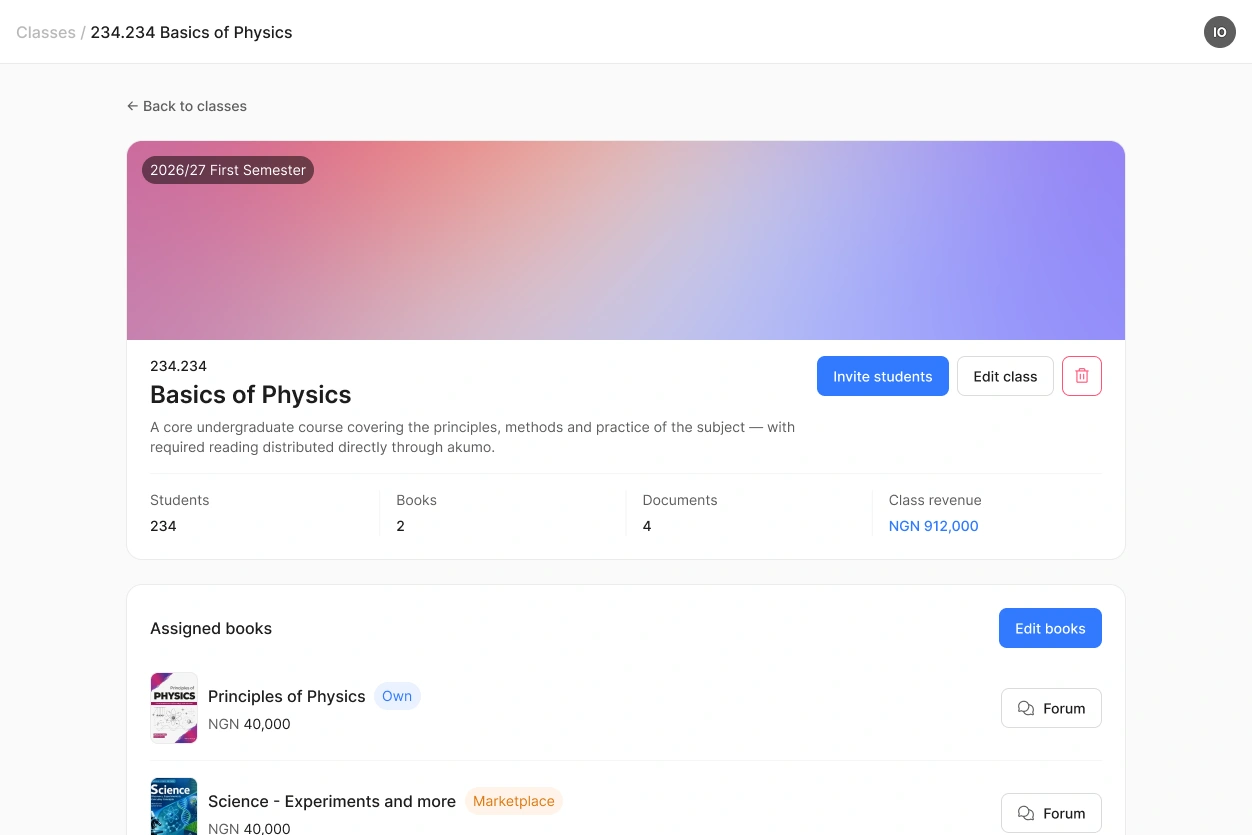
Step 2: Create a class
Give your class a name and a code, then assign the books your students need for it.
You can use your own books, books from the marketplace, or both.
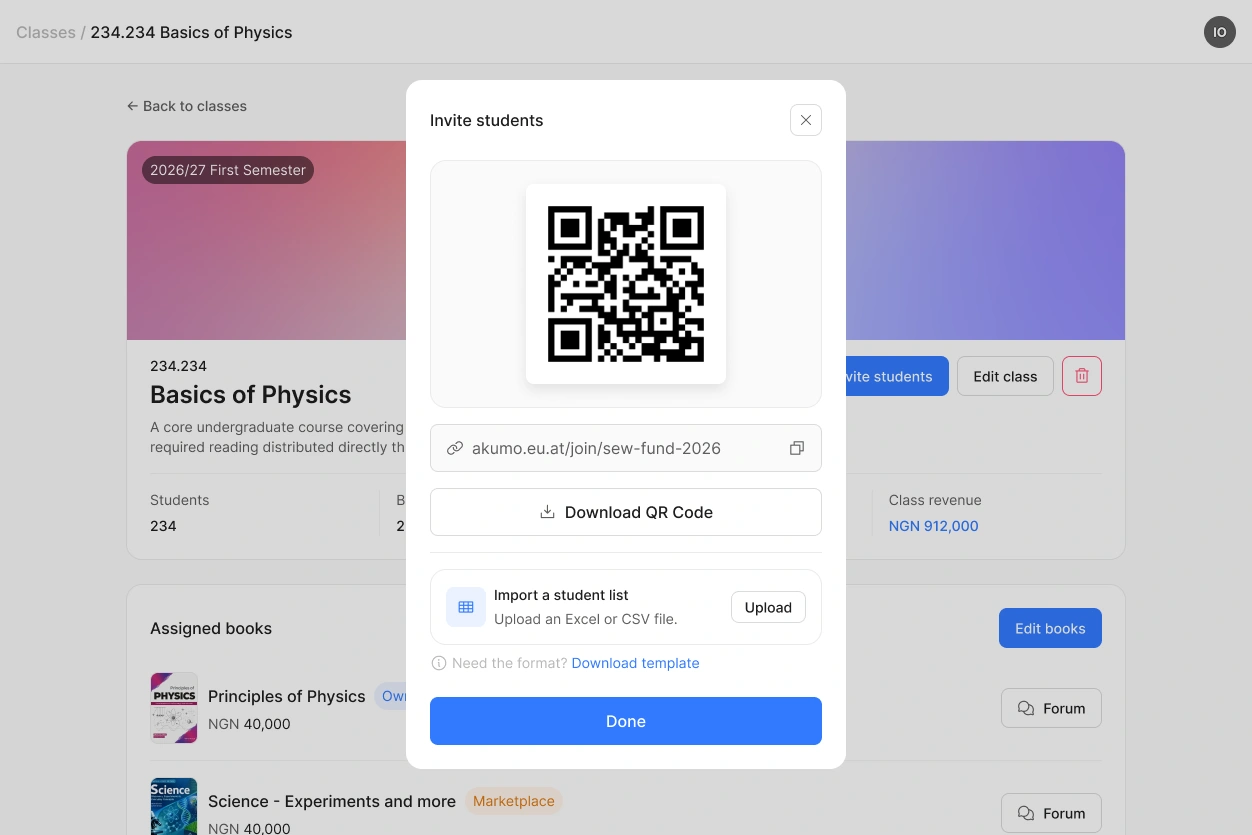
Step 3: Invite your students
Show the QR code, share the link, or upload a roster.
Students who are new to Akumo create their account as they join. Everything you prepared becomes visible to them only at this point.
Step 4: Get paid
Students buy their books from inside the class, and Paystack splits every payment automatically.
Your share goes straight to your own bank account. The only deduction is the Akumo share, plus your institution's share if you have chosen to connect to one.
 You can prepare everything before the semester starts. Nothing is visible to students until you invite them.
Not everyone uses all four steps
Some authors and publishers only upload books and let other lecturers teach with them. Some lecturers never publish anything and teach entirely with books from the marketplace. Both work, and you can combine them at any time.

